Steam Capsule Artwork: What to Prepare Before Design
A useful Steam capsule artwork brief starts with the game you want a stranger to recognise, the files you can supply and the placements you actually need. Before commissioning storefront graphics, check whether you need a new illustration or an adaptation of approved art. Those are different jobs, even when the final files look similar.
A beautiful wide image is only a starting point. The title may disappear when reduced, a character may be cut off in a tall format, or the only available logo may be flattened into the background. Resolve these practical questions before polishing a composition that cannot serve the whole asset list.
Choose what the artwork must communicate
Write one sentence describing the impression a new viewer should take away. For a hypothetical cooperative salvage game, that might be two vulnerable divers exploring a dangerous wreck. The sentence gives the designer a reason to emphasise scale, companionship and uncertainty. It is more useful than asking for something cinematic without explaining what the image should say about play.
Choose the essential subject, then identify what can disappear in a crop. A protagonist, vehicle or distinctive location may carry the image; secondary enemies, debris and decorative effects may not. Supply a few annotated references explaining those decisions. Also name misleading cues to avoid: a peaceful composition should not suggest a relaxing game if tension is central to the experience.
Audit the files before requesting adaptations
Gather the highest-quality approved artwork, a separate transparent or vector logo, and any layered source files you can share. Identify which version is current. Include usable space around the subject where possible: a tightly cropped character can leave no room to compose a different shape without painting new material.
Separate finished assets from references. A concept sketch can communicate direction without being ready for a storefront export. If the title is baked into the only image, call that out rather than assuming it can be moved cleanly. Missing source layers, background extension and new illustration should be assessed before agreeing the adaptation scope.
Confirm that the artwork, fonts and logo can be supplied to the production partner for this use. Name any restrictions on alteration or public display. The practical output is a small, labelled source folder with an asset owner, not a large collection of files whose status someone else must guess.
Name the placements and check current rules
Replace “all Steam graphics” with a list of required placements. Valve's Store Graphical Assets guide currently specifies a 920 × 430 header capsule, 462 × 174 small capsule, 1232 × 706 main capsule and 748 × 896 vertical capsule. It also explains where each appears. Check the linked guide when preparing your delivery list; library artwork and event graphics are separate categories.
Valve's Graphical Asset Rules limit base store capsules to game artwork, the name and any official subtitle. Review scores, awards, discount messages and calls to action do not belong there. Time-limited artwork overrides have separate requirements. Its library rules also distinguish a text-free hero image from the separate logo asset. Specify the destination before deciding what text belongs in an image.
Keep a simple inventory: asset name, dimensions, language, source composition and approval status. A small launch package might cover only the agreed store capsules. Additional library, event or campaign graphics should be named and assessed separately rather than silently added to a request for resizing.
Review compositions at the size people will see
Ask to see the proposed formats together, with small previews as well as large artwork. Check whether the title remains readable, the subject is recognisable and important elements survive each crop. Review on a phone too. If a face or logo only works when enlarged, more surface detail will not solve the composition problem.
Valve's store guide notes that the small capsule generates smaller versions and need not use the same art as the other capsules. Treat it as its own composition decision. A simpler subject crop or larger title can be more useful than shrinking every element of the main image.
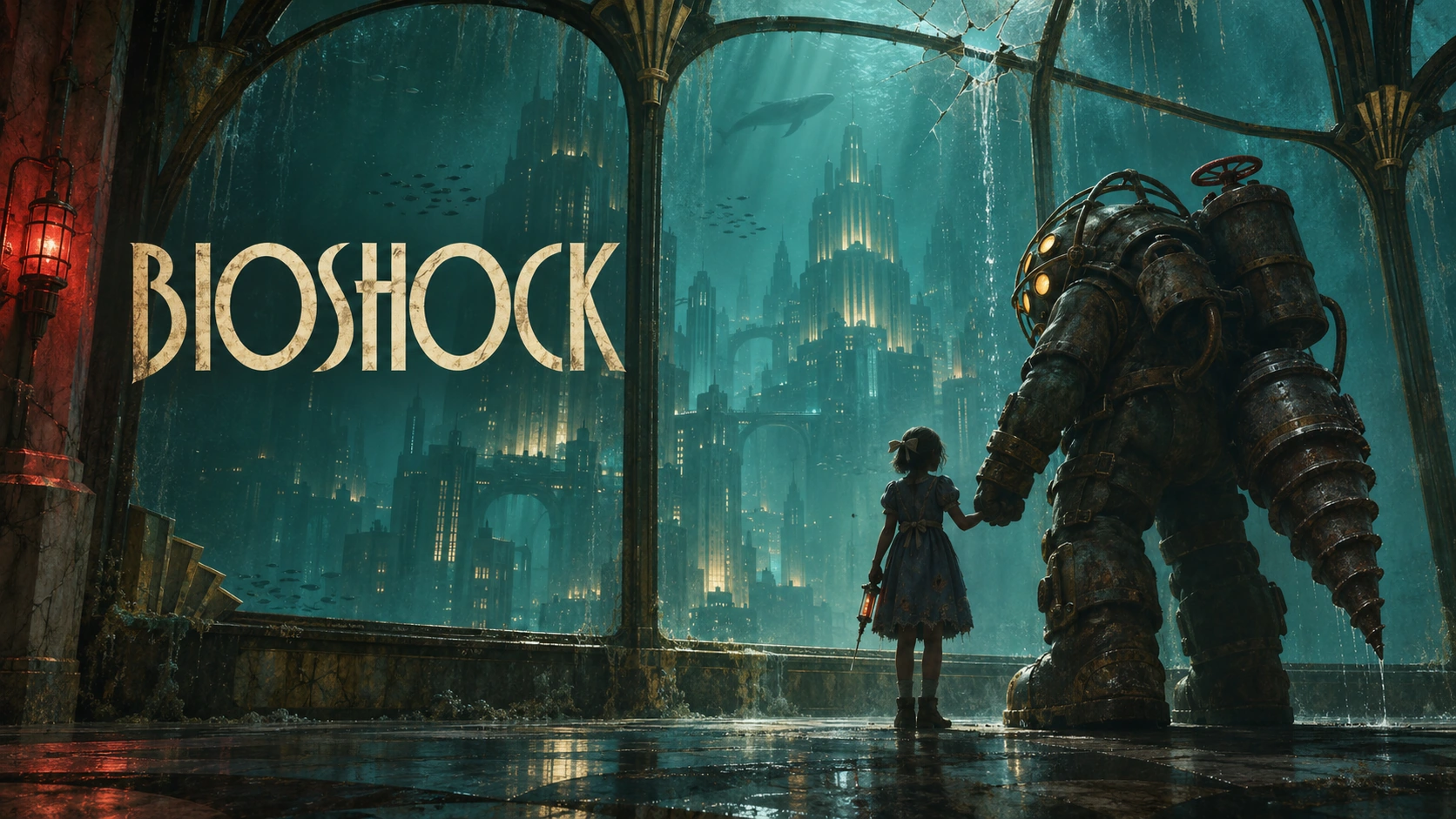
Twined's unofficial BioShock composition study gives a concrete crop question: its title occupies the left side while the characters sit on the right. A narrow crop cannot preserve that arrangement automatically. The study is not a published Steam capsule; it illustrates why different formats need deliberate composition rather than a batch resize.
Make feedback specific enough to act on
Agree the main visual direction before requesting every export. Collect feedback into one list tied to an asset and a visible problem: “the title loses contrast against the bright window” is actionable; “make it pop” leaves the designer guessing. Separate a correction to the approved direction from a request to replace the illustration.
List required language variants early, including whether an approved translated logo exists. Changing letterforms can change the balance of the composition. Identify who checks spelling and who approves the artwork, then resolve conflicting feedback before handing it over. Do not treat translation or logo redesign as automatic parts of an export task.
Finish with files someone can use
Request a delivery folder organised by placement and language, with clear filenames and a matching preview sheet. Check each file against the agreed inventory. Keep approved exports distinct from work in progress, and agree whether editable source files are included. Someone returning to the folder later should be able to identify what was approved without reading the entire conversation.
Name the person responsible for uploading and checking the artwork in Steamworks. Review the actual placement after upload, not just the designer's preview. Approval of a composition and verification of its storefront presentation are separate decisions.
If you already have approved art and a logo, Twined's Steam Artwork Packages can help shape the compositions and prepare agreed storefront formats. Send the source material and intended placements through our contact page; we can assess what can be adapted and what needs separate creative work.