Launch websites · 3 min read
The 10-Second Test for Your Game’s Launch Site
Use a quick usability test to check your indie game launch site's message, trailer and store link before sending players from ads or announcements.
Open your game's launch site on a phone and give someone unfamiliar with it ten seconds. Ask them what the game is, where they would watch the trailer and how they would reach its store page. Watch what they do before explaining anything.
This is a quick usability exercise, not a scientific conversion threshold. Passing it does not guarantee wishlists, and taking eleven seconds does not prove a page has failed. Its value is exposing hesitation: unclear wording, competing buttons or an important link hidden behind a long introduction.
Make the first decision obvious
Choose the action that matters for the game's current stage. Before release, that may be visiting a Steam page to wishlist. During a demo event, trying the demo may be more useful. After release, the next step may be buying the game. Give that action a clear label and a prominent place.
A visitor should also understand what they are being invited into. Pair the game's identity with a short description that conveys its genre, activity or central idea. A mysterious slogan can support the mood, but it should not be the only explanation. Show enough actual game material to help someone decide whether to continue.
Keep the trailer and destination connected
Put the store link near the trailer so interest has somewhere to go. Check the journey after the video ends, not just before it begins. If the player opens a modal, make closing it obvious and keep the next step accessible when they return to the page.
For example, a hypothetical demo announcement could show a short introduction, a trailer button and a clearly named Steam link together. Screenshots and features can follow for visitors who need more detail. This arrangement gives both the curious visitor and the already-convinced visitor a usable route without forcing everyone through the same sequence.
Test the atmosphere as well as the layout
Scroll motion should reveal information without making the visitor fight for it. Check whether text stays readable, buttons remain usable and someone who prefers reduced motion can still understand the page. On a phone, test with normal browsing conditions and a fresh visit, rather than relying on a fast desktop with cached files.
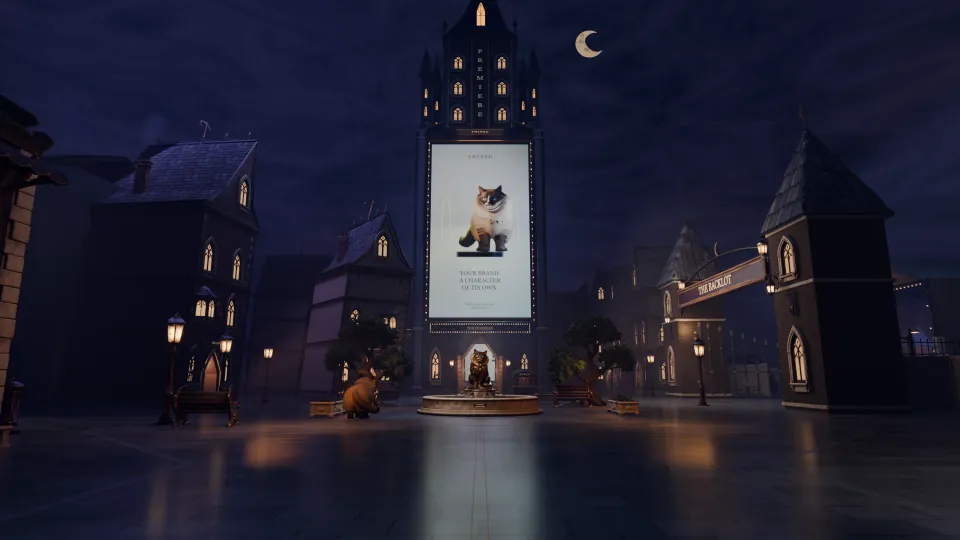
After Hours is Twined's self-initiated studio site, not evidence of a game's wishlist results. Its relevant design decision is that the optional city sits alongside conventional pages. Visitors can browse services and contact Twined without completing an exploration. The same principle applies to a launch site: atmosphere can invite attention while essential actions remain direct.
Repeat the exercise with a few people, note the points of confusion and fix the recurring problems first. If you measure store-link clicks later, remember that an outbound click is not the same as a confirmed wishlist. Keep the usability observation and the business outcome separate.