Film production · 6 min read
How to Write a Game Trailer Brief Before Production
Plan your game trailer brief: audience, gameplay footage, deliverables, review stages and launch handover. A practical guide for indie and mid-size studios.
A useful game trailer brief makes the important decisions visible before production starts. It tells the team what the film must communicate, what material exists and where the finished versions will appear. It does not need a screenplay or a polished presentation.
The hardest ambiguity is often hidden in a simple request: “We need a trailer for launch.” Does that mean editing captured gameplay, producing new cinematic shots, or combining both? Use the questions below to turn that request into work a production partner can assess, without committing to a film your assets cannot support.
1. Give the film one primary job
Write a sentence naming the audience, the moment and the next action. For example: “Introduce our cooperative exploration game to players who have never seen it, then invite them to try the demo.” This hypothetical brief gives the editor a different priority from an update film aimed at existing players.
Name the destination too: a store page, an announcement, a showcase submission or your own website. A dramatic reveal may suit a familiar audience, while an unfamiliar viewer needs enough context to understand what they would actually do. Choose the central promise before collecting a long list of features.
Treat mood references as evidence of a particular choice. Explain whether you like the pacing, sound, composition or balance of gameplay and story. Three annotated references are more useful than a folder of impressive films with conflicting directions.
2. Decide what needs to be shown, not just said
List the two or three things a viewer should understand after watching. Pair each with a possible shot. “Players cooperate” is vague; a captured moment where one player distracts an enemy while another opens a route gives the production team something specific to evaluate.
Valve’s Steamworks trailer guidance recommends making the first store-page trailer primarily gameplay and considering viewers who watch without audio. A cinematic can establish personality or stakes, but the brief should identify which images demonstrate play and which are cinematic storytelling. The Steamworks source is linked below.
For a hypothetical stealth game, the proof might be scouting a patrol, creating a distraction and escaping a consequence. Keep those actions readable in the edit. If the footage does not exist yet, make capture a named task with an owner rather than leaving the editor to discover the gap.
3. Inventory the material honestly
Separate ready-to-use footage from assets that still need work. Include the game build or footage version, capture resolution, frame rate, HUD choices and known visual issues. Mark spoilers and features that must not appear. A scene from an old build may look attractive while showing a mechanic the game no longer has.
For new cinematic shots, list available characters, environments, textures and animation. A model file alone does not establish that a character is ready to perform. Ask the production partner to assess preparation before treating rigging, repairs or new animation as included in editing.
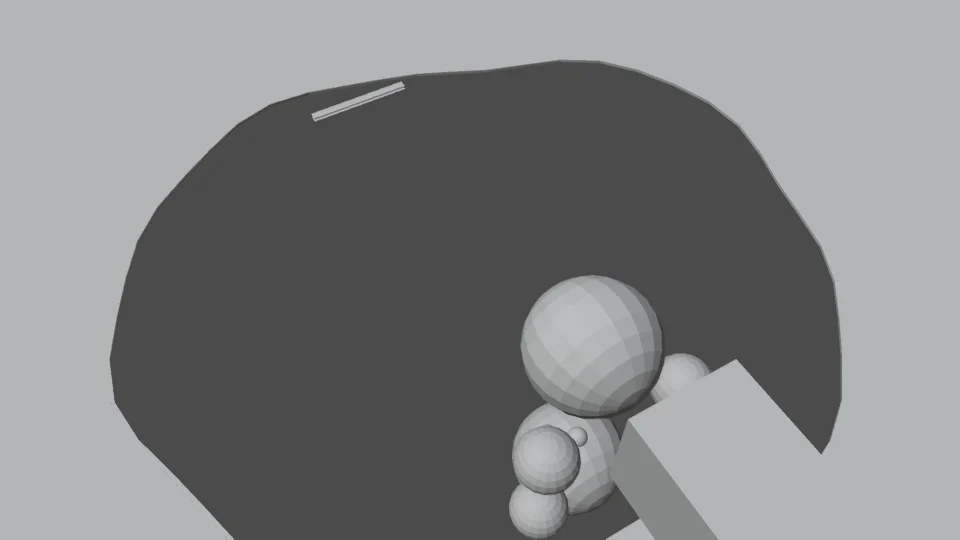
Twined’s self-initiated After Hours film development includes a gray Blender study of a cat, puddle and camera move. Its purpose was to test staging before surface detail. That is a useful briefing principle: identify the uncertain shot and test it early. It is not evidence of client launch results or a requirement to block out every edit.
4. Specify the delivery versions separately
Create a short delivery list with a row for each placement: destination, approximate length, aspect ratio, language, captions, audio and call to action. Distinguish a shorter cut from a new creative concept. Removing time from one film and creating another opening can require different editorial decisions.
Do not assume a landscape composition will survive a vertical crop. If a key interaction spans the frame, ask whether it needs a different shot, reframing or a separate layout. Plan text-free exports and localized end cards where they are actually needed; avoid paying to maintain versions with no intended placement.
For Steam delivery, check the current Steamworks upload guidance when preparing exports. It lists supported containers and frame rates and prefers H.264 video with AAC audio. Keep a high-quality master separate from placement exports so a later specification change does not require rebuilding the whole film.
5. Agree how decisions and revisions will happen
Name one person who gathers feedback and one person who approves it. Separate the story review from the final polish review. At the rough-cut stage, ask whether the hook, order and emphasis work. Later, check text, transitions, sound and delivery details. This gives each review a question it can answer.
Set the boundaries in writing: included versions, review rounds, asset preparation and what happens if the direction changes. Also identify supplied music, voiceover and other third-party material, with responsibility for confirming permitted use. A placeholder track should not quietly become a promised final soundtrack.
Work backward from the public date to allow for approval, upload and playback checks. Steamworks says a game cannot release while a trailer is still converting. Treat platform processing as part of launch preparation, not something to discover at the moment you intend to publish.
6. Finish with a brief someone can act on
Before sending it, check that your brief contains the audience and action, the must-show moments, an asset inventory, delivery versions, an approval owner and the real deadline. Add the budget range you can work within, even if you still need help choosing the scope. Unknowns are useful when they are named.
At handover, watch every delivered version in its intended player. Check the first frame, text readability, sound, captions, ending and the destination beside it. An approved edit and a working launch placement are separate checks.
If you have the footage but need help turning it into a trailer, Twined’s Films service includes editing and agreed delivery versions; new scenes and asset preparation are scoped separately. Send the material and intended placements through the project brief below, and we can discuss the right production scope.
Further reading
Valve: Steamworks trailer guidance and upload requirements ↗