Process · 3 min read
Structure Before Surface: Blocking Out a 3D Scene
How a simple Blender blockout reveals camera, staging and navigation problems before detailed assets enter a film or interactive 3D web experience.
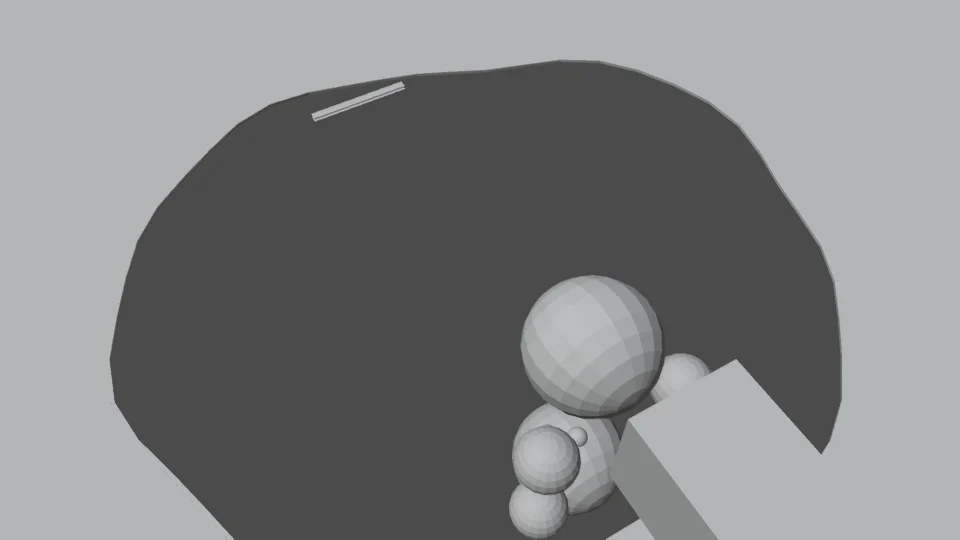
A polished surface can hide an unclear idea. A detailed character, atmospheric lighting and reflective paving can make a scene look convincing before anyone has checked whether the camera tells the right story. A blockout removes that distraction. Simple shapes make it easier to judge position, scale and movement.
In the After Hours project, a gray Blender study explored a cat, a puddle and a camera move. It was early previs for a film moment, not a prototype of the finished website city. The useful connection is the decision-making process: test the structure before investing in the surface.
Give the rough scene a precise question
Start by deciding what the study must prove. For a film, that might be whether a reflection reads clearly or whether a camera move lands on the intended subject. For a 3D web scene, it might be whether a visitor can see a destination, approach it and understand what is interactive.
Place only the objects needed to answer that question. A box can stand in for a building, a simple shape for a character, and a flat plane for water. Keep relative sizes and clearances believable. The scene can be visually plain while still being spatially useful.
Test the view, then the movement
A still frame answers where attention goes at one moment. Playback reveals what happens between those moments. Check whether the subject leaves the frame, a foreground object blocks the route, or a movement takes too long to communicate its purpose. A camera that looks correct at its endpoints can still travel through the wrong place.
Interactive work needs another check because visitors choose where to go. Walk the route from the entry point, turn around and approach important locations from different angles. Test the intended control method early. A route that is easy with a mouse and keyboard may be awkward when a thumb also covers part of a phone screen.
Approve a decision, not a beautiful draft
Record what the blockout established: camera position, subject scale, accessible route or interaction distance. Also record what it did not establish. Gray geometry cannot prove that final textures will fit a phone's memory budget, that animation will look natural, or that the finished lighting will remain legible.
Then add detail in stages and repeat the relevant checks. Materials can change contrast; foliage can obscure a sign; a larger character silhouette can hide an interaction. Treat the blockout as a reference for the agreed structure while allowing later evidence to improve it. The point is to find expensive mistakes while they are still cheap to change.