Game Trailer Music: Leave Room for the Ending
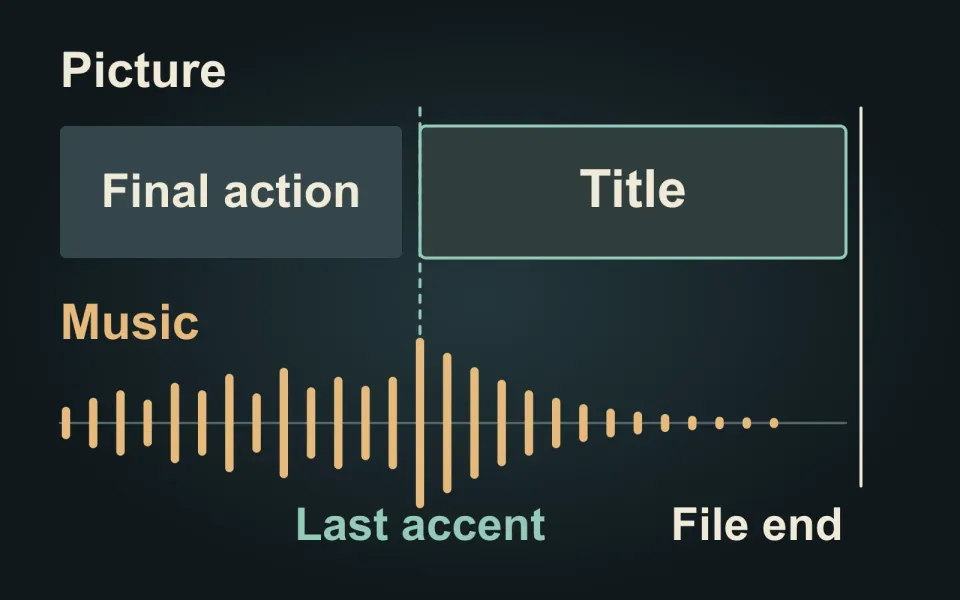
Plan your trailer’s musical ending before locking its duration. The last accent, the title reveal and the end of the video file are three separate moments. Choosing how they relate can make an ending feel deliberate instead of simply running out of time.
Choose what the final beat supports
Listen from the last gameplay sequence through the end card. Decide whether the music should resolve on the final action, the title appearing or a later reveal. Mark that moment in the edit and give the editor a reason: “Let the title feel like the payoff,” for example, is more useful than “Make the ending bigger.”
In a hypothetical adventure trailer, an escape could land on the final strong beat, followed by a quieter title hold. A horror teaser might deliberately leave the music unresolved. Neither requires adding a loud impact. Our recommendation is to choose the intended feeling first, then judge whether the music and picture support it together.
Leave room after the accent
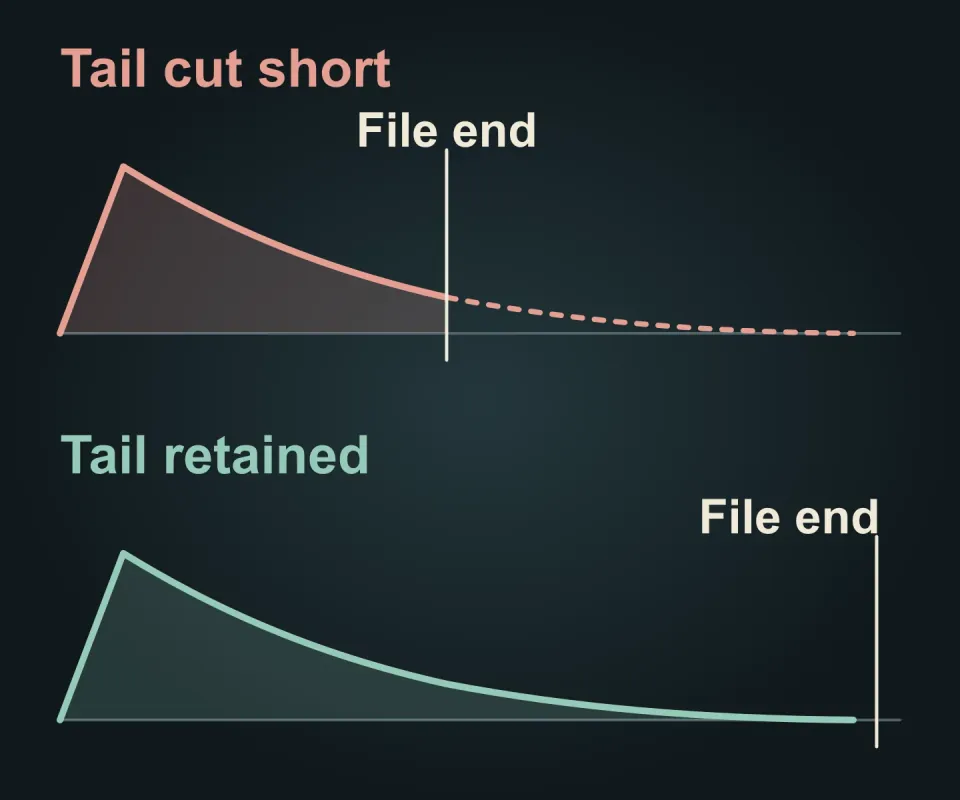
The tail is the sound that continues after a note or impact: perhaps a held instrument or fading reverberation. Ending the file while that sound is still prominent can make a planned finish feel cut short. Allow space for it in the picture, or agree an earlier musical ending when the delivery duration is fixed.
A fade can shape that finish, but lowering the volume does not create a different musical phrase. Adobe’s audio fade guidance explains how to adjust a fade’s curve and duration in Premiere. Use those controls to support the chosen ending, rather than treating a fade as an automatic solution to an awkward cut.
The diagram compares a tail interrupted by the file boundary with one given room to decay. It does not prescribe a hold length. Check that the end card has enough time to communicate its next action, and that any final spoken line remains understandable.
Review the exported finish
Play the actual export from before the last action until playback stops. Listen for a truncated note, a sudden level drop or an unexpected gap. Check on headphones and ordinary speakers; then watch silently to see whether the title and next step still read clearly.
If you revise the duration, repeat the check on every affected cut. A short promotional version needs its own ending, not just an earlier file boundary in the longer trailer.
Twined’s gameplay trailer editing brings shot selection, pacing and agreed exports together. Tell us about your trailer and where it will appear so its ending can be planned with the rest of the cut.