Game Trailer End Cards: Match the Next Step to the Release
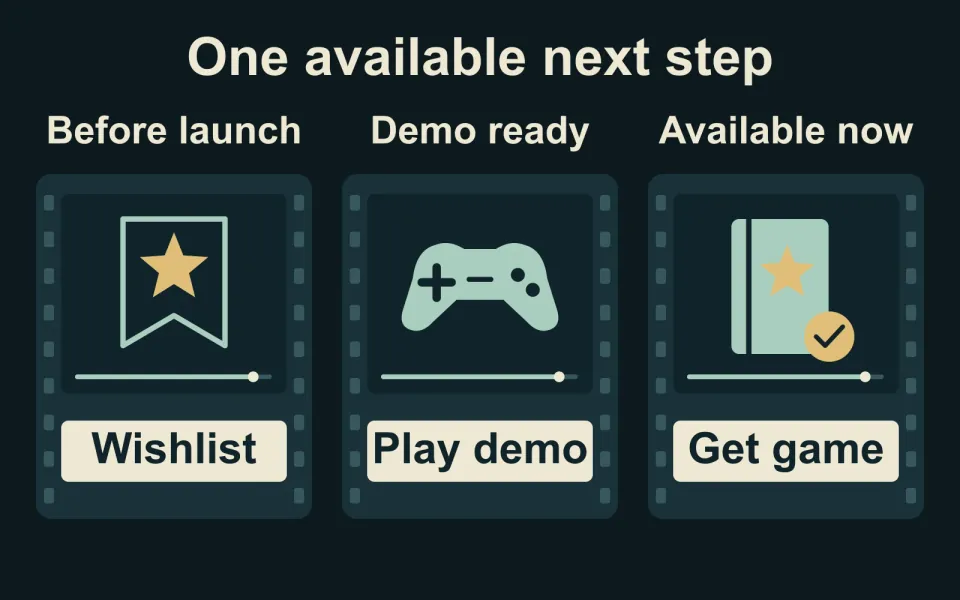
A game trailer's end card should name the game and give viewers one useful next action that is available when the video appears. Approve that final frame together with its destination, not as an isolated piece of artwork.
Choose the action for this release moment
Start with what the viewer can actually do. An unreleased game might ask for a wishlist; an available demo might invite play; a launch trailer might announce availability. These are different promises. Our recommendation is to choose one primary action for the particular placement rather than squeeze every campaign goal onto the final frame.
Valve's Coming Soon guidance confirms that players can wishlist a title once its store page is publicly visible. Before approving a wishlist ending, have the store owner confirm that the intended page will be public when the trailer runs.
Use approved platform names, release wording and branding. If the date is not ready to announce, agree the public wording instead of allowing an editor's temporary date to survive into the export.
Check the message and destination together
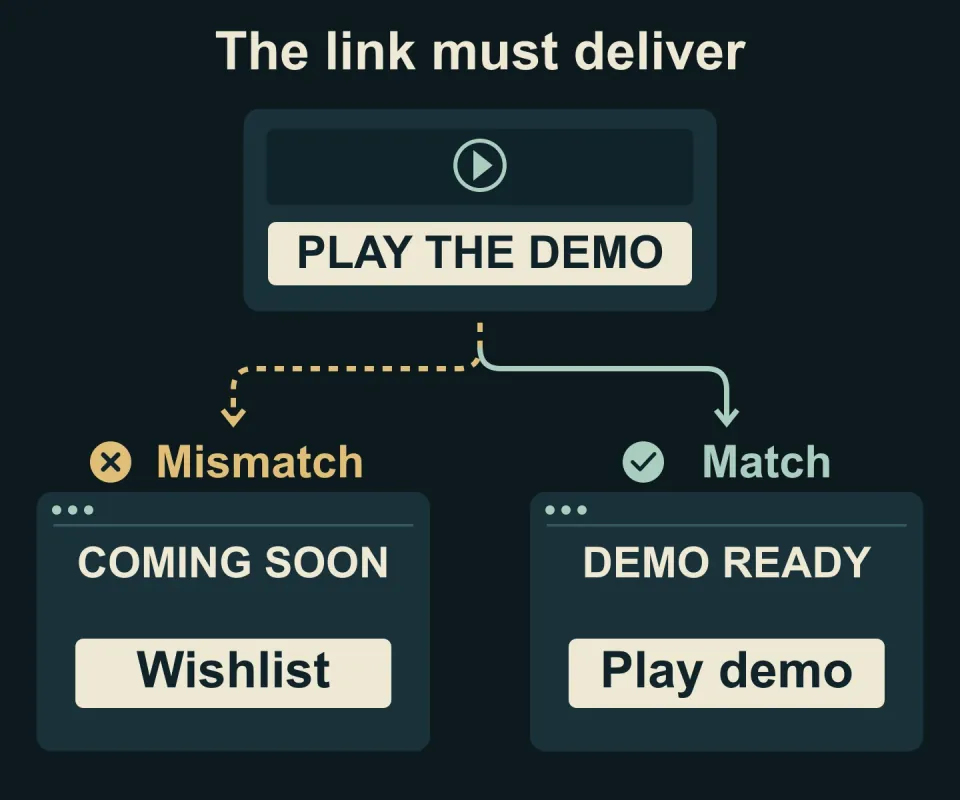
Consider a hypothetical demo announcement. The final frame says “Play the demo,” but the accompanying link opens a page that only offers a wishlist. The artwork may be readable and the link may work, yet the promised action is missing. Either make the demo accessible through the intended destination or revise the message before publishing.
Check the actual link beside the uploaded video, not just the URL in the production brief. If it opens a game website, follow the route from there to the demo or store. Someone who has not seen your internal build should be able to complete the advertised next step.
A drawn button inside the video is still part of the picture. Give viewers the real link through the placement's available controls or accompanying description, and test that route separately.
Review the ending in every export
Watch the last shot through the final frame at normal speed. Can you read the game name, understand the action and notice any necessary release information before it disappears? There is no universal hold length for every design; judge the amount of information in the actual edit.
Repeat that check for each agreed aspect ratio and language version. Look for cropped logos, conflicting dates and leftover temporary wording. Record the approved ending and destination with the trailer handover, so a later update does not accidentally reuse an obsolete announcement.
Twined's gameplay trailer editing includes agreed titles and exports alongside the edit. Discuss your trailer if you need its closing message and delivery versions planned together.